 Mergeline
Mail merge for recruiters: personal candidate outreach from Gmail
Updated October 29, 2026
Export your candidate shortlist to a sheet with name, role, skill and a reason you reached out, then send each person their own email from your Gmail with those details filled in. Add one or two follow-ups that stop on reply. With Mergeline, candidate data stays in your browser, and Pro adds up to 7 follow-ups.
Why recruiters use mail merge
Recruiting runs on outreach that has to feel personal at scale. A candidate can tell a template from a real note in one line. At the same time, nobody can hand-write 80 emails for one opening.
Recruiters ask for exactly this: ways to “add personalized variables in Gmail emails” (r/recruiting: personalized variables in Gmail). Mail merge lets you write once and still mention the skill, the project or the past role that made you reach out.
Build the shortlist sheet
| Column | Example |
|---|---|
| john.doe@example.com | |
| FirstName | John |
| CurrentRole | Senior data engineer |
| Hook | your talk on streaming pipelines |
| Opening | Staff data engineer |
| Seniority | Senior |
| ManagerEmail | sam.lee@example.com |
Fill Hook by hand. It is the line candidates remember, and the reason they answer a stranger.
Write outreach candidates answer
Subject: {{Opening}} role, saw {{Hook}}
“Hi {{FirstName|there}}, I came across {{Hook}} and thought of a {{Opening}} role on a small team that works on similar problems. {{#if Seniority = Senior}}It is a hands-on lead role with no people management.{{else}}You would work closely with two senior engineers.{{/if}} Open to a 15 minute chat this week? Jane Doe”
Conditional text keeps one campaign while senior and mid-level candidates read different lines.
How to run candidate outreach with Mergeline
- Export the shortlist. From your ATS or LinkedIn notes into a sheet with a Hook column.
- Import into Mergeline. Paste the Sheets link or drop a CSV.
- Write with conditions. Use {{#if Seniority = Senior}} for lines that change by level.
- Add the manager as Cc. Put {{ManagerEmail}} in Cc if the manager should see the thread.
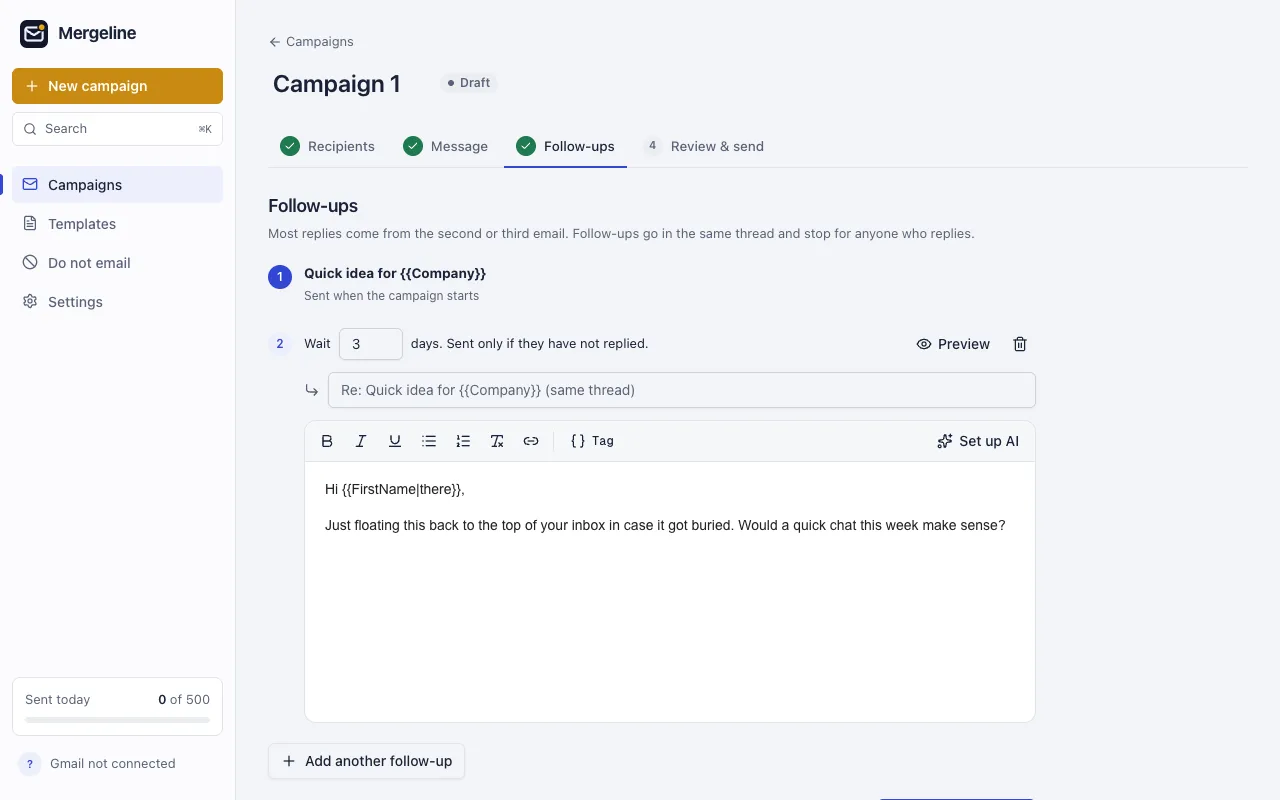
- Add two follow-ups. At 3 or 4 days and 7 days, stopping on reply.
- Send or create drafts. Send directly, or create drafts to review each one first.
Cc the hiring manager, per person
Sometimes the hiring manager should be on the thread from the start. In Mergeline Pro, the Cc field accepts tags, so {{ManagerEmail}} adds the right manager to each candidate’s email. Gmail’s built-in mail merge allows only one Cc or Bcc address per merge, and none with a spreadsheet (Google: Send personalized emails with mail merge in Gmail).
Review before it goes out
For senior or sensitive roles, you may want to read every email before it leaves. Mergeline Pro’s drafts mode creates a personal draft in Gmail for each candidate instead of sending. Open Drafts, tweak a line where needed, and send.
Follow-ups and pacing
Candidates are busy and often passive. One follow-up after three or four days and a final one a week later is a common rhythm. They go in the same thread and stop for anyone who replies, opts out or bounces.
Recruiting from a company domain means Workspace limits apply: 2,000 messages a day and 3,000 external recipients (Google Workspace: Gmail sending limits). A careful daily cap and sending hours in the candidate’s time zone keep you far from both.
Candidate data and privacy
Candidate lists contain personal data. Many outreach tools copy your lists to their servers. Mergeline keeps lists, messages and results in your browser, and nothing goes to a Mergeline server. See the security page for the details your legal team will ask about.
Templates for common recruiting emails
| Key tags | Tip | |
|---|---|---|
| First outreach | {{Hook}}, {{Opening}} | Lead with what you noticed about them |
| Interview scheduling | {{InterviewDate}}, {{Interviewer}} | Put the time zone in the column itself |
| Process update | {{Stage}} | Short and honest, even when there is no news |
| Rejection after interview | {{Role}} | Personal, kind and final; no follow-ups |
| Talent pool check-in | {{LastRole}} | Twice a year at most |
Rejections deserve special care. Send them as a separate campaign with no follow-ups, and read each preview. Candidates remember how a company said no, and many of them will apply again or refer a friend.
Questions
Can several recruiters share one campaign?
Each recruiter runs Mergeline in their own browser with their own Gmail. Split the shortlist by owner so every candidate hears from one person.
How do I keep my ATS up to date?
Export the Mergeline report as a CSV after a campaign. It lists who replied, opted out or bounced, so you can update candidate records in one pass instead of one by one.
Can I send from a shared recruiting inbox?
Mergeline sends from the Gmail account you are signed in to. Candidates usually answer a named recruiter more readily than a shared inbox.
Should rejection emails have follow-ups?
No. Send rejections as their own campaign with no follow-ups, and read each preview before sending.
Can I personalize Gmail emails to candidates?
Yes, with mail merge. Each column in your sheet becomes a tag like {{CurrentRole}}.
Can each email Cc a different hiring manager?
Yes in Mergeline Pro, using a tag in the Cc field. Gmail’s built-in merge allows only one Cc address.
Will follow-ups go to candidates who replied?
No. Mergeline skips anyone who replied, opted out or bounced.
Is candidate data uploaded anywhere?
Not with Mergeline. Lists stay in your browser and emails go straight from your Gmail.
How many candidates can I email a day?
Workspace allows 2,000 messages and 3,000 external recipients a day. Most recruiters send far fewer, on purpose.
Sources
- r/recruiting: personalized variables in Gmail
- Google: Send personalized emails with mail merge in Gmail
- Google Workspace: Gmail sending limits
Facts checked October 29, 2026. Google and other vendors change their limits and prices, so check the source before you rely on a number.
Mergeline does this from your own Gmail. Free for 60 emails a day with merge tags and no branding. Pro is $12 a month or $99 a year for follow-ups, scheduling and attachments.