 Mergeline
How to A/B test subject lines in a Gmail mail merge
Updated October 29, 2026
Write two subject lines, send each to a random half of your list, and compare reply rates, not open rates. Change one thing at a time and test on lists large enough that a few replies do not decide it. Mergeline Pro splits the list for you and reports replies for subject A and subject B.
What an A/B test tells you
An A/B test sends two versions of one thing to two similar groups and compares the results. For a mail merge, the subject line is the easiest place to start: it is short, it changes behavior, and you can write two good versions in a minute.
The goal is not a clever subject. It is a subject that gets the right people to open and answer. So the result you care about is replies.
Why replies, not opens
Most tools judge subject tests by open rate. The problem is that open rates are guesses. Apple Mail Privacy Protection loads tracking images automatically, so Mailchimp calls open metrics unreliable for those users (Mailchimp: Apple Mail Privacy Protection FAQ). A test judged by a noisy number gives you a noisy winner.
Replies are exact. Someone wrote back, or they did not. They are also the goal of a personal mail merge. See why open tracking pixels hurt deliverability and privacy.
Where to run one
Gmail and its built-in mail merge have no A/B test, and the built-in merge cannot even change the subject per person (Google: Send personalized emails with mail merge in Gmail). GMass includes A/B tests from its Premium plan (GMass pricing). By hand, you can split your sheet into two random halves and send two campaigns, then count replies in each.
How big does the test need to be?
Small lists give shaky answers. If subject A gets 3 replies from 40 people and subject B gets 5, that may be luck. Treat small tests as hints and repeat them before you trust them.
- Run the test on at least a few hundred people when you can.
- Send both versions at the same time, so the day and hour do not decide it.
- Split randomly. Never send A to your best customers and B to everyone else.
- Write down every result. Patterns across several tests matter more than one winner.
How to A/B test a subject in Mergeline
- Write subject A. Your normal subject line.
- Add subject B. Change one thing: length, a question, their name or a specific detail.
- Send to the whole list. Mergeline splits people into two random groups as it sends.
- Wait for replies. Give it a few days, since most replies arrive in the first two or three.
- Compare reply rates. Open the report and compare replies per subject, not raw counts.
- Keep the winner. Use it as subject A next time, and test a new idea as B.
What to test first
| Test | Example A | Example B |
|---|---|---|
| Question or statement | Quick question about the spring fair | Spring fair: one question |
| Personal or general | {{FirstName}}, a quick question | A quick question |
| Specific or vague | Can you help on May 3? | Volunteer help needed |
| Short or longer | Your invoice | Your March invoice from Acme |
Change one thing per test. If A is a question and also shorter, you will not know which change mattered.
A/B tests in Mergeline
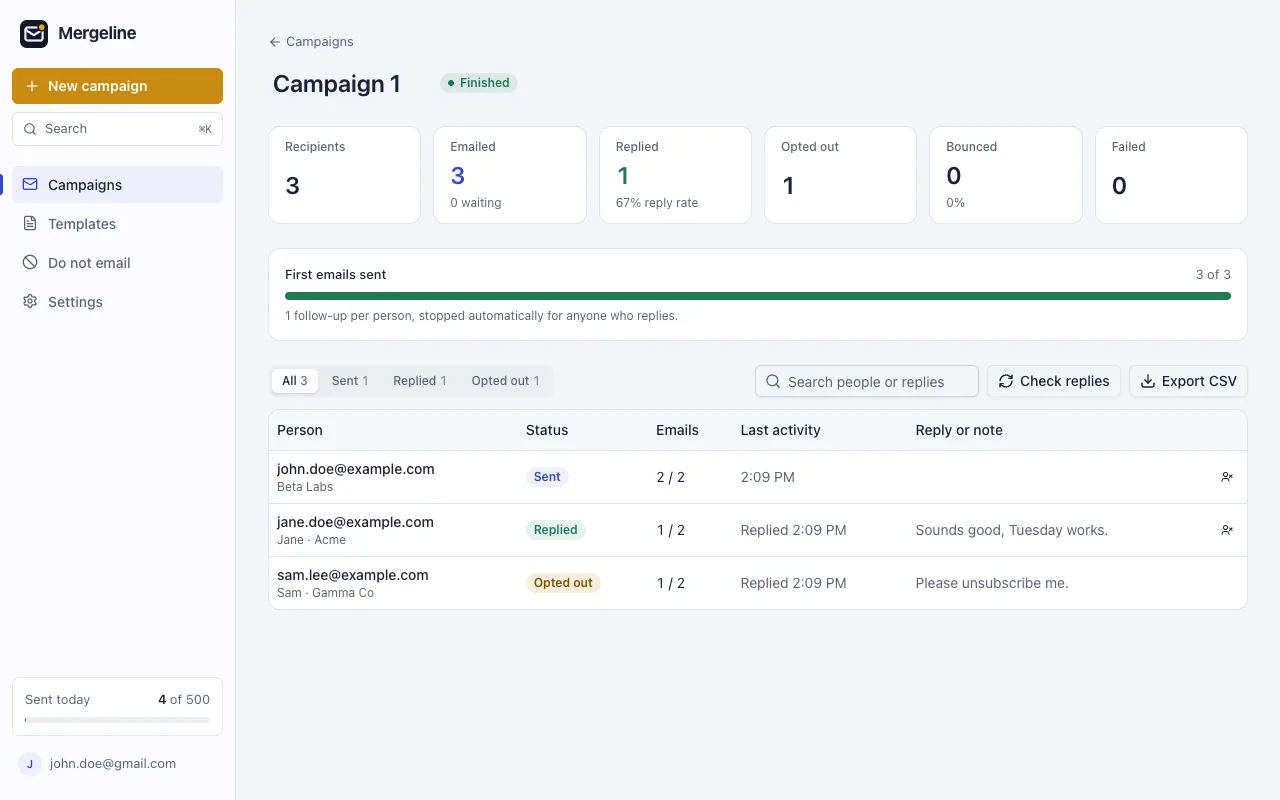
In Mergeline Pro, add a second subject line in the message step. Mergeline puts each person into group A or B at random, based on their address, so the split is fair and stays the same if you pause and resume. The report shows emails sent and reply rate for each subject. Merge tags work in both versions. Pro is $12 a month or $99 a year.
Reading the results
When the replies are in, look at the reply rate for each subject, not the raw number of replies. If one side sent more emails, raw counts mislead.
Then ask whether the gap is big enough to matter. A difference of one or two replies on a small list is often noise. A clear gap that shows up again in your next test is a pattern you can trust.
Also read the replies themselves. A subject that gets more replies of “not interested” did not really win. A subject that gets fewer but warmer replies may be the better choice for your goal.
Finally, keep a simple log: date, list, subject A, subject B, sent and replies for each. After five or six tests, you will know what your audience answers, which is worth more than any single winner.
Questions
Can I test more than two subjects?
Mergeline tests two at a time. Run a second test next time to try a third idea against the winner.
Does the test work with merge tags?
Yes. Both subject lines can use tags like {{FirstName}} or {{Company}}.
Can I A/B test subject lines in Gmail?
Not with Gmail alone. Split the list by hand, or use a tool with A/B testing such as Mergeline Pro or GMass Premium.
Should I pick the winner by opens or replies?
Replies. Opens are inflated by Apple Mail Privacy Protection and blocked by other apps.
How many people do I need?
More is better. With only a few dozen per side, a difference of one or two replies can be luck.
Can I test the email body too?
Mergeline tests subjects. For body tests, send two campaigns to random halves of the list.
Does an A/B test change who gets follow-ups?
No. Follow-ups go to everyone who has not replied, in either group.
Sources
- Mailchimp: Apple Mail Privacy Protection FAQ
- Google: Send personalized emails with mail merge in Gmail
- GMass pricing
- r/CRMSoftware: detailed email analytics
Facts checked October 29, 2026. Google and other vendors change their limits and prices, so check the source before you rely on a number.
Mergeline does this from your own Gmail. Free for 60 emails a day with merge tags and no branding. Pro is $12 a month or $99 a year for follow-ups, scheduling and attachments.