 Mergeline
Mail merge for real estate agents: stay in touch from Gmail
Updated October 29, 2026
Keep a sheet of past clients and your sphere with first name, address or neighborhood, closing date and a personal note. Send short personal check-ins from your own Gmail a few times a year, with details only they would recognize. Use conditional text for buyers and sellers, and sending hours for evenings.
Why agents use mail merge
Most repeat and referral business comes from people who already know you. The hard part is staying in touch without sending a newsletter nobody reads. Agents ask how others keep up after closing (r/realtors: staying in touch after closing), and some wire together Gmail, Sheets and automation tools to do it (r/zapier: Gmail and Google setup for real estate).
A personal email from your own address, mentioning their street or their kitchen remodel, gets read and answered. Mail merge lets you send that to 150 people without writing 150 emails.
Build your sphere sheet
| Column | Example |
|---|---|
| john.doe@example.com | |
| FirstName | John |
| Type | Buyer |
| Street | Maple Street |
| Closed | May 2024 |
| Note | how the garden turned out |
Your CRM can usually export this. Keep the Note column short and specific; it is the line people remember.
Emails that work for agents
| When | Key detail | |
|---|---|---|
| Home anniversary | Once a year | Closing month and street |
| Market note | Two or three times a year | Their neighborhood |
| Open house follow-up | Within a day | The address they visited |
| Referral thank-you | Right after | Who they referred |
How to send a sphere check-in with Mergeline
- Export your contacts. From your CRM into a sheet with Email, FirstName, Type, Street, Closed and Note.
- Import into Mergeline. Paste the Sheets link or drop the CSV.
- Write a short note. Lead with a detail only they would recognize.
- Set evening hours. With Pro, choose evenings and weekends in sending hours.
- Preview and send. Check buyers and sellers both read well, then send.
- Answer every reply. The reply is the point. Mergeline shows who answered.
Write a home anniversary email
Subject: {{Closed}} on {{Street}}
“Hi {{FirstName|there}}, it has been a while since {{Closed}}, and I was just thinking about {{Note}}. {{#if Type = Seller}}I hope the move went well and the new place feels like home.{{else}}I hope {{Street}} is treating you well.{{/if}} If you ever want a quick idea of what homes nearby are selling for, just reply. Jane Doe”
Open house follow-ups
After an open house, send each visitor a note within a day, mentioning the address they saw and one feature they asked about. Mergeline Pro can also build a list from a Gmail search, for example everyone who emailed you about a listing, so you do not have to copy addresses out of your inbox.
Add one follow-up a few days later, and let it stop for anyone who replies.
Timing and pace
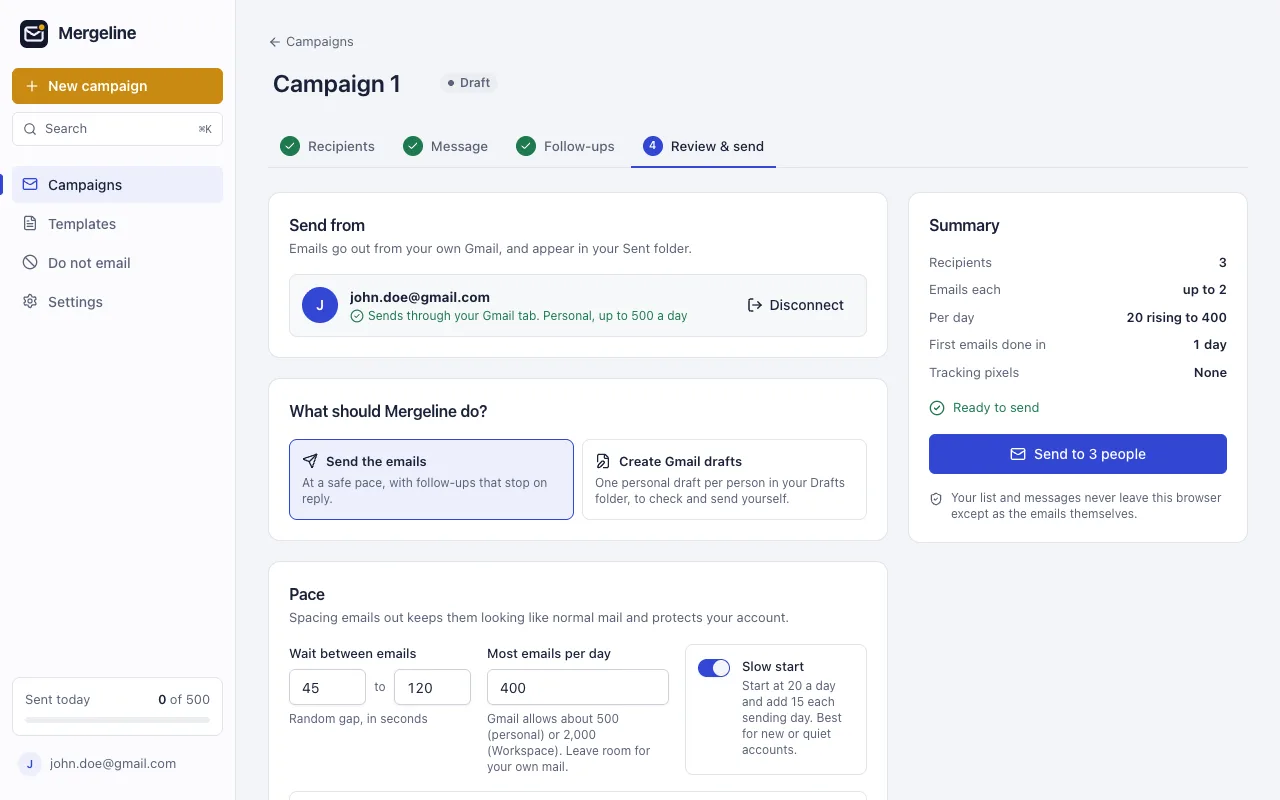
Past clients read personal email in the evening and on weekends. Set sending hours to match. Keep a daily cap well under Gmail’s limit of 500 a day on a free account, or 2,000 messages on Workspace (Google: Gmail sending limits, Google Workspace: Gmail sending limits). A sphere of a few hundred people can go out over two or three evenings.
Keep it personal, not promotional
People unsubscribe from agents who only email when they want something. Lead with them, not with listings. One personal email a quarter does more than a weekly blast.
Mergeline adds no tracking pixels, so your email does not carry a hidden image that some mail apps flag. Read why open tracking pixels hurt deliverability.
Mistakes to avoid
- Emailing your whole sphere about every new listing. Save listing emails for people who asked.
- Using a newsletter template that looks like an ad.
- Sending from a team address instead of your own name.
- Forgetting people who asked to stop. Keep a do-not-email list and honor it.
- Getting the closing date or street wrong. Check the preview for every past client.
Agents who get referrals tend to send fewer, better emails. One correct, personal note beats four generic ones.
Questions
Do I need my brokerage’s permission?
Check your brokerage’s rules on client communication and on browser extensions. Mergeline sends from your own Gmail and keeps the list in your browser, which makes that conversation simpler.
Can each email mention a different neighborhood?
Yes. Put the neighborhood in a column and use it as a tag, or use conditional text to add a sentence only for people in certain areas, such as a note about a new school or park nearby.
Can I build a list from my inbox?
Yes, with Mergeline Pro. Run a Gmail search, for example the address of a listing, and turn the people in those emails into a list.
Should I use a newsletter instead?
A designed newsletter suits market reports. Personal check-ins from your own address are what people answer, so many agents use both.
How can a real estate agent email past clients from Gmail?
Use mail merge with a sheet of past clients. Each person gets their own email from your address with their details filled in.
How often should I email my sphere?
A few personal emails a year beats a weekly newsletter for most agents.
Can I send open house follow-ups automatically?
Yes. Put visitors in a sheet, send a note within a day, and with Pro add a follow-up that stops on reply. Up to 7 follow-ups are allowed.
Is my client list uploaded anywhere?
Not with Mergeline. The list stays in your browser.
Can I send in the evening?
Yes, with sending hours in Mergeline Pro.
Sources
- r/realtors: staying in touch after closing
- r/zapier: Gmail and Google setup for real estate
- Google: Gmail sending limits
- Google Workspace: Gmail sending limits
Facts checked October 29, 2026. Google and other vendors change their limits and prices, so check the source before you rely on a number.
Mergeline does this from your own Gmail. Free for 60 emails a day with merge tags and no branding. Pro is $12 a month or $99 a year for follow-ups, scheduling and attachments.